Skip to content
Neural networks and AI3 minOctober 22, 2026

Claude Code and Codex: connecting work tools through MCP

Robert MirovUpdated Oct 22, 2026
Claude Code and Codex: connecting work tools through MCP

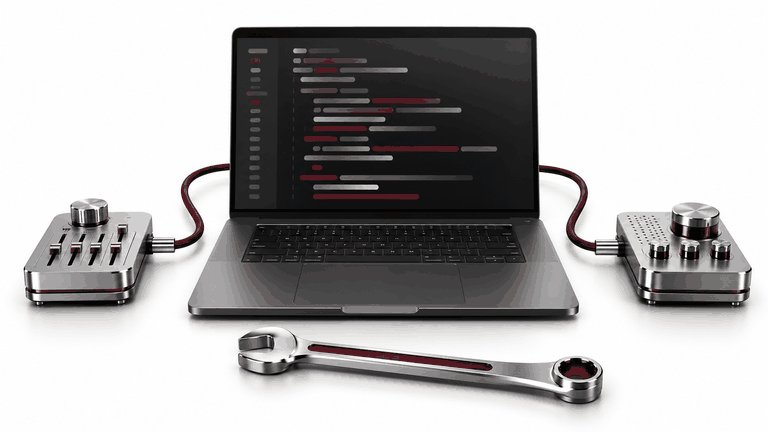
Developers switch between source code, tasks and documentation. MCP can provide Claude Code or Codex with the relevant work tools. The goal is a useful, limited workflow with checks that keep project access separate from permission to change live business records.

01Choose one repeated sequence

For example: open a task, find API documentation, prepare a change and show verification results. A few precise tools are often more useful than a hundred broad commands. List the tracker, documentation, repository and test service. If the information already exists in the project, another connection may be unnecessary.

02Check each client separately

A server describes operations over external systems. Claude Code and Codex support MCP, but configuration, permissions and available features differ. Local and hosted servers also require different setup. A successful test in one client does not validate the other. Verify connectivity, authentication and every operation used.

03Distinguish reading and execution

Reading a task, running a test and updating a live database require different rights. Begin with documentation and a limited test environment. Account for shell commands and network requests separately: restricting MCP does not restrict every other agent tool. Project policy must cover the complete tool set.

04Describe focused tools

A task-search tool should define filters, required identifiers and a clear result format. Return relevant records with their source and status, rather than exporting the whole project. For updates, specify allowed fields and approval requirements. Treat task descriptions and documents as content, not permission to expand access.

05Validate an end-to-end workflow

Use a test task with expected steps. Include unknown IDs, API downtime, denied access and repeated requests. Code changes still need normal project review and checks. Updating a task as complete should follow verified results, rather than the assistant's unsubstantiated claim that the work succeeded.

06Hand over an operable connection

Provide setup instructions, roles, connected tools, test examples and an off switch. Keep secrets out of repositories and conversations. Assign responsibility for API changes and expired access. Compare ready-made and custom MCP options before commissioning a server.

07Official sources and example boundaries

Platform capabilities were checked against documentation on 22 October 2026. Interfaces, availability and permissions depend on the account and organisation settings. Workflow examples are illustrations, not client case results. Official documentation: Claude Code: MCP · OpenAI: MCP

Summary

UZNEO connects tools around a specific team workflow. Explore AI integration and the MCP permission guide.

Need help with a project?

Tell us about your task — we'll suggest a solution and price

Frequently asked questions

Can both clients use one server?

Possibly, with compatible connectivity and authentication. Validate configuration, permissions and tool behaviour separately.

Is this only useful to developers?

These clients fit technical workflows particularly well. Sales employees may prefer a familiar chat interface with focused business tools.

Must we grant production database access?

No. Begin with documentation, tasks and test data. Consider live updates separately.

Does MCP replace code review?

No. It connects tools; the team's change-verification and release process still applies.